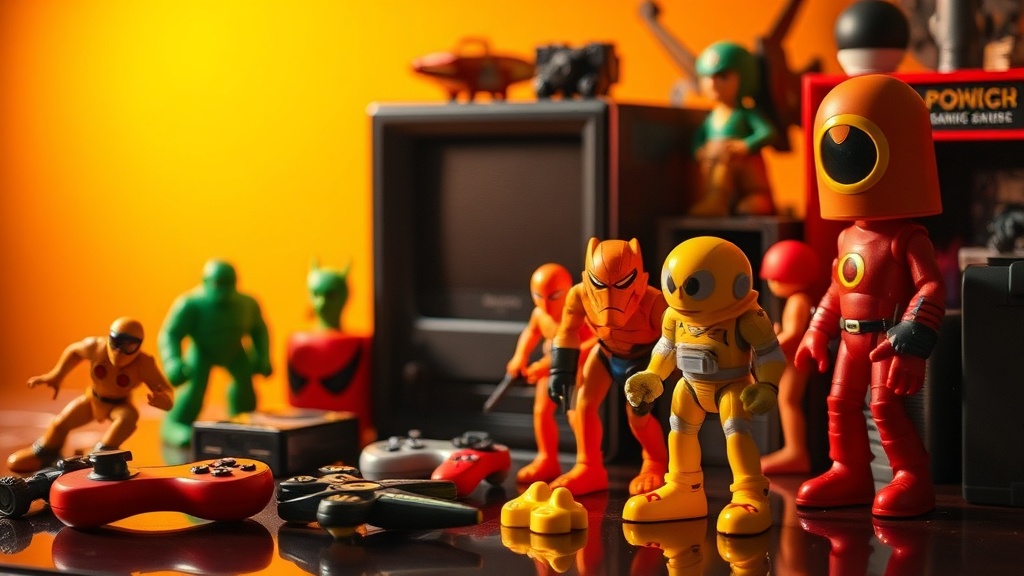
Restoring the Original Color of Yellowed Plastic Gaming Collectibles

You finally track down that mid-90s Resident Evil figure you’ve been hunting for months. The box is a bit beat up, but the figure itself is the prize—or it should be. Instead of the crisp, pale gray tactical vest the character is known for, you’re looking at a dingy, tobacco-stain yellow. It looks like it’s been sitting in a sun-drenched attic for thirty years (which, let's be honest, it probably has). This isn’t just dirt or surface grime that a bit of soap and water can fix; it’s a chemical transformation happening inside the plastic itself. Understanding how to reverse this process without melting your rare find is a skill every serious gaming collector needs in their repertoire.
The ugly truth is that many of our favorite gaming artifacts from the 80s and 90s were built with materials destined to change color. This post covers the chemical reality of why your plastic turns yellow, the specific tools you need to fix it safely, and a step-by-step guide to the restoration method known as retrobrighting. Whether you’re trying to save an original NES controller or a limited edition vinyl figure, getting that factory-fresh look back is entirely possible if you’re patient and careful.
Why do plastic gaming collectibles turn yellow over time?
The culprit here isn’t just age; it’s a specific additive called bromine. Back in the day, manufacturers added bromine to ABS (Acrylonitrile Butadiene Styrene) plastic to act as a flame retardant. While this was great for keeping your console from becoming a fire hazard, it created a long-term aesthetic problem. When these plastic items are exposed to ultraviolet (UV) light or even just heat over many years, the bromine molecules become unstable and migrate to the surface. This reaction creates the yellow or orange tint we all dread. You can read more about the chemistry of Retrobrighting to understand how oxidation plays a role in this mess.
It’s a common misconception that this only happens to white plastic. Gray, beige, and even some light blues are susceptible. The change is often uneven—you might notice the front of a figure is yellowed while the back remains pristine because it was facing away from a window. This unevenness is what makes the restoration process so rewarding but also tricky. You aren't just cleaning; you're triggering a reverse chemical reaction to pull those bromine molecules back into line. It’s a delicate balance because the same process that fixes the color can, if overdone, make the plastic more brittle than it already is.
Can you reverse plastic yellowing without damaging the paint?
This is where things get dicey for figure collectors. While a plain gray NES shell is easy to treat because it's one solid color, a gaming figure usually has intricate paint applications. Hydrogen peroxide—the main ingredient in the restoration process—is an oxidizer. It’s great for the plastic, but it can be a nightmare for certain types of paints and decals. I’ve seen collectors toss a rare figure into a peroxide bath only to have the eyes and logos peel off like wet paper. You have to be strategic. If your figure has painted details, you’ll need to use the "cream" method rather than a full submersion bath, allowing you to paint the peroxide only onto the affected areas while avoiding the delicate details.
Another risk is "marbling" or "blooming." This happens when the peroxide reacts unevenly, leaving white streaks or a cloudy finish on the plastic. It’s often caused by heat spikes or uneven UV exposure. If you’re working on a high-value item, the best approach is to test a small, inconspicuous area first—maybe the bottom of a foot or the inside of a battery compartment. If the paint holds up and the color change looks natural, you’re good to go. If the paint starts to soften or change hue, stop immediately. Sometimes, a slightly yellowed original finish is better than a bright white figure with half its face missing.
What equipment do you need for a DIY retrobrighting setup?
You don't need a professional lab, but you do need a few specific items to do this right. First and foremost, you need hydrogen peroxide. For most gaming collectibles, a 12% solution (often sold as "40 Volume" cream at beauty supply stores) is the sweet spot. Anything stronger risks damaging the plastic, and anything weaker takes forever. You’ll also need a light source. While the sun is free, it’s notoriously unreliable—especially if you live in a place like Portland where the clouds are a permanent fixture for half the year. A dedicated UV lamp or a strip of UV LEDs inside a foil-lined box is a much better way to get consistent results. For deep dives into technical setups, RetroRGB is a fantastic resource for see how others have built their curing stations.
Next, grab some clear plastic wrap. This is vital if you're using the cream method. By wrapping the treated item, you prevent the peroxide from drying out. If it dries, it stops working and can leave those nasty white streaks I mentioned earlier. You’ll also want some nitrile gloves and safety goggles. We’re dealing with high-concentration peroxide here; it will turn your skin white and sting like crazy if you aren't careful. Finally, a small paintbrush for application and some OxiClean (which acts as a catalyst to speed up the reaction) will round out your kit.
The Step-by-Step Restoration Process
Start by giving your collectible a thorough cleaning with mild dish soap and warm water. You want to remove all surface oils and dust so the peroxide can make direct contact with the plastic. If you're working on a console or a controller, take it apart. Never, ever try to retrobright an electronic item while it's still assembled. The liquid will find its way into the circuitry and ruin it. Once you have the bare plastic shells or the figure ready, apply your peroxide cream in a thin, even layer. Don't go too thick—you just want a consistent coating. Think of it like icing a very expensive, plastic cake.
After coating, wrap the piece tightly in plastic wrap. Try to smooth out any air bubbles, as air pockets can cause uneven lightening. Place the item under your UV light source. If you're using a lamp, rotate the item every couple of hours to ensure every side gets equal exposure. The time required varies wildly. A lightly yellowed figure might only need four hours, while a deeply tanned Super Nintendo might need twenty-four. Check on it periodically. You’ll see the yellow start to fade. Once it looks right, take it to the sink and wash off all the cream with cold water. Don't use hot water, as the plastic is chemically sensitive at this stage.
Avoiding the Common Pitfalls
The biggest mistake I see is impatience. People see a little bit of progress and think, "If four hours was good, forty hours will be better!" That’s how you end up with brittle plastic that snaps the moment you try to pose the figure. Another common error is using too much heat. While heat speeds up the reaction, it also warps plastic. If your UV setup is getting hot to the touch, back the lights off or add a small fan to the box. You want the UV rays to do the work, not the thermal energy. It's also worth noting that some plastics, particularly the transparent ones used in "crystal" edition controllers, don't always react well to this process. They can turn cloudy or develop internal cracks.
Lastly, let's talk about the "re-yellowing" problem. Retrobrighting is not a permanent shield. You’ve removed the surface oxidation, but the bromine is still inside the plastic. If you put that restored figure back in a sunny window, it will turn yellow again—often faster than it did the first time. To prevent this, you should apply a UV-protectant spray after the plastic has fully dried. Products like 303 Aerospace Protectant are popular in the community for a reason; they provide a sacrificial layer that absorbs the UV rays so your plastic doesn't have to. It’s a small extra step that keeps your hard work from disappearing in six months.
Restoring a piece of gaming history is one of the most satisfying parts of being a collector. There’s something special about taking an item that looked ready for the trash and bringing it back to display-worthy condition. Just remember to take your time, protect your eyes, and always prioritize the integrity of the plastic over a perfect shade of white. Your collection—and your wallet—will thank you for the careful approach.